Nodar HDK Quick Start Guide


Congratulations on receiving the Nodar HDK v2.0! This kit contains:
- (A) HDK Camera
- (B) M12-RJ45 Cat6 cables
- (C) Orin
Setup Instructions
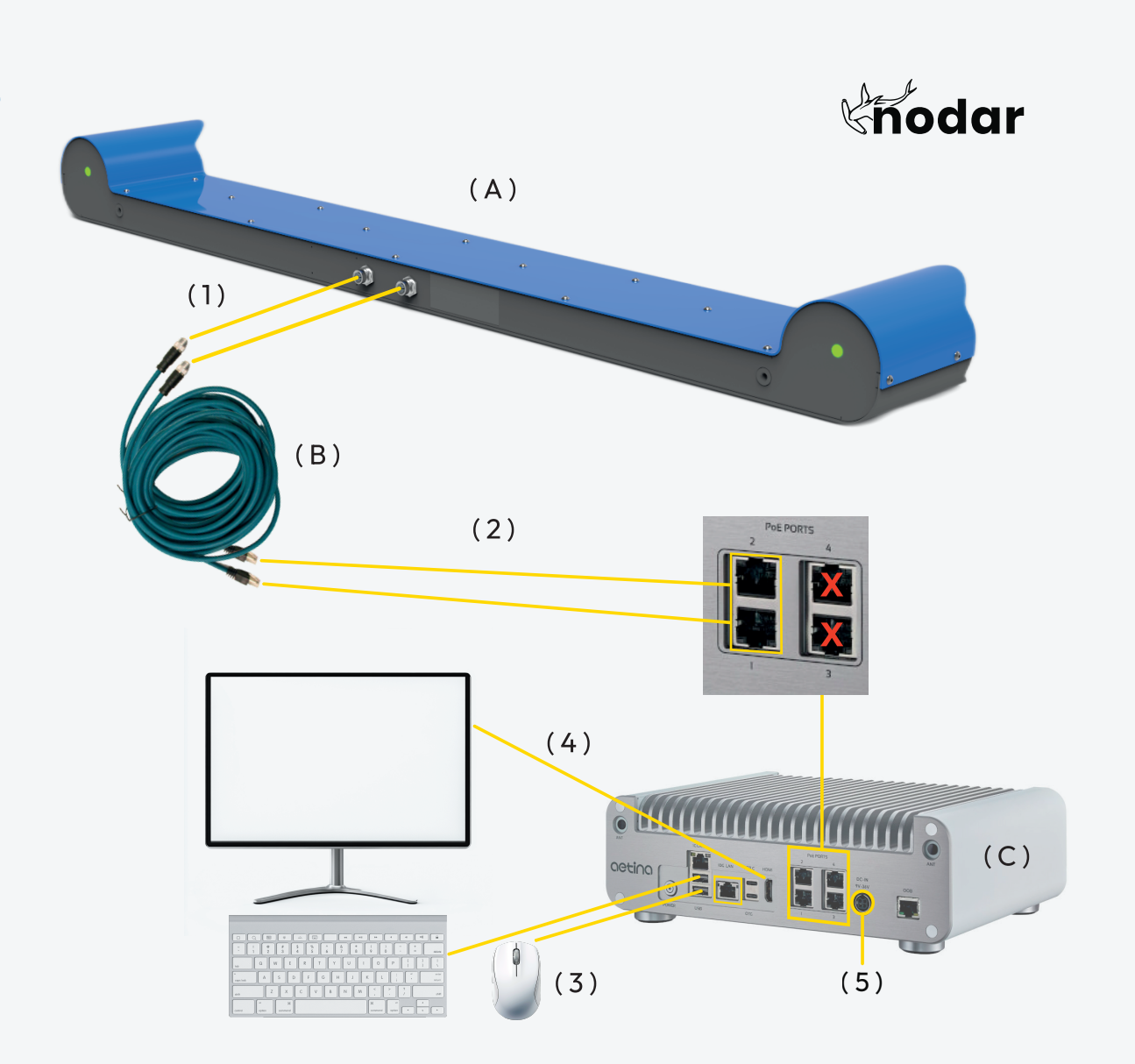
- Connect M12-RJ45 Cables to HDK.
- Connect M12-RJ45 Cables to PoE Ports 1 and 2.
- Connect keyboard and mouse via USB-A.
- Connect monitor via HDMI.
- Connect power cable to Orin.
- Login with password [Provided by NODAR].
- Launch hammerhead from the terminal. Skip if autostart enabled.
- Launch nodar_viewer from the terminal.
- Click connect on the left side of the Viewer.
- Wait for cameras to initialize (<1 minute).